
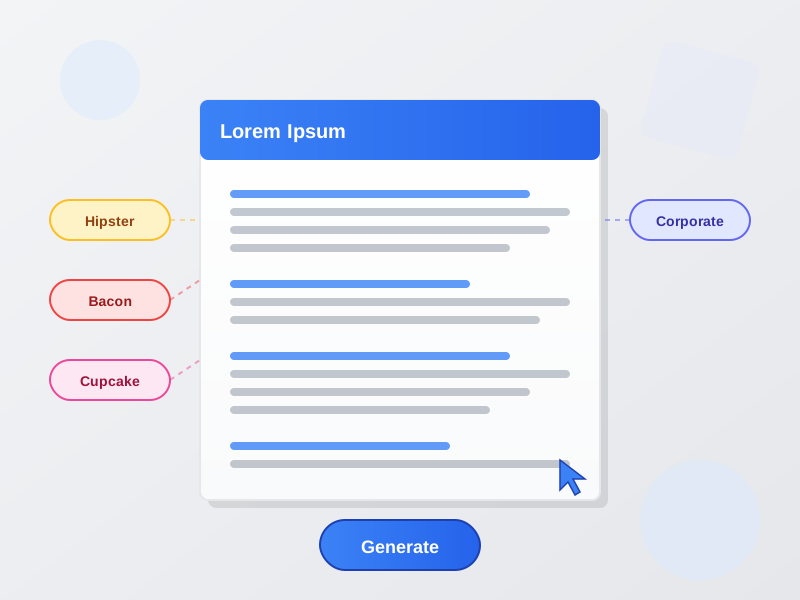
Lorem Ipsum Generator - Dummy Text Generator
Generate Lorem Ipsum dummy text with multiple formats. Classic Lorem Ipsum, Hipster, Bacon, Cupcake, and Corporate text generators for mockups and design.
10 Min. Lesezeit
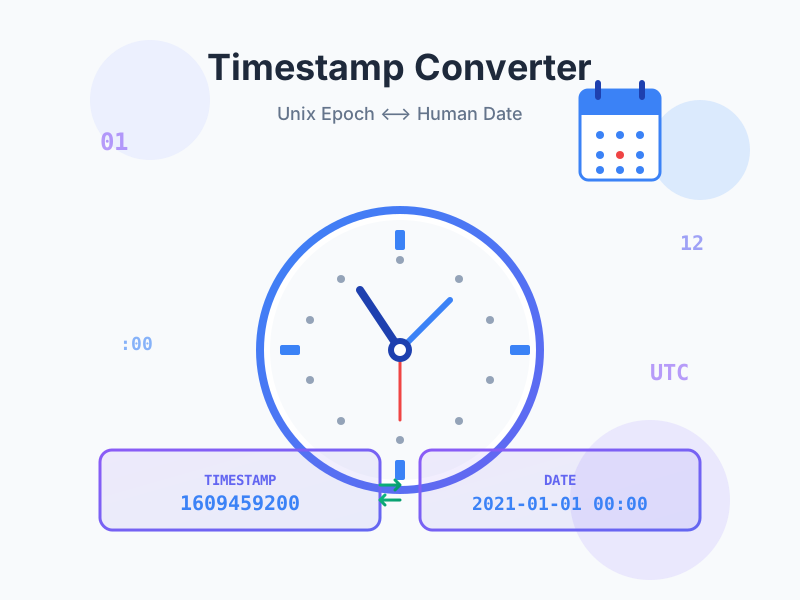
Convert Unix timestamps to dates and dates to Unix timestamps instantly. Free online epoch time converter with live current timestamp, timezone support, multiple output formats (ISO 8601, RFC 2822, relative time), and automatic format detection for seconds, milliseconds, and microseconds.
Real-time Unix timestamp counter showing the current epoch time in seconds and milliseconds with automatic updates every second. Perfect for quick reference when working with time-sensitive applications, logging, or documentation. One-click copy buttons let you instantly grab the current timestamp in your preferred format without manual calculation. The large, prominent display makes it easy to read at a glance during development, debugging, or system administration tasks.
Timestamp to Date - Paste any Unix timestamp and instantly convert it to human-readable formats across multiple representations. Supports seconds (10 digits), milliseconds (13 digits), and microseconds (16 digits) with automatic format detection. See your timestamp as ISO 8601, RFC 2822, local timezone format, relative time (‘5 hours ago’), and both second/millisecond representations simultaneously.
Date to Timestamp - Select any date and time using intuitive date/time pickers, choose your timezone, and generate accurate Unix timestamps. Outputs both seconds and milliseconds formats plus all standard date representations. Essential for scheduling tasks, setting expiration times, creating database entries, or testing date-sensitive features with specific timestamps.
Convert timestamps across 16 major timezones covering all continents and major financial centers. Includes UTC, US zones (Eastern, Central, Mountain, Pacific), European zones (London, Paris, Berlin, Moscow), Asian zones (Dubai, India, Shanghai, Tokyo, Singapore), and Pacific zones (Sydney, Auckland). Timezone selection affects local time display while maintaining UTC-based timestamp accuracy, preventing timezone confusion in distributed systems.
Choose your local timezone to see timestamps in familiar local time, or use UTC for server logs and API responses. The tool correctly handles Daylight Saving Time (DST) transitions automatically based on your browser’s timezone database.
Every conversion displays results in six formats simultaneously:
Each format includes a dedicated copy button for instant clipboard access without selecting text.
Smart detection system automatically identifies whether your input timestamp is in seconds, milliseconds, or microseconds based on digit count. No need to specify the format manually or convert between units. Paste any timestamp and the tool handles the rest, displaying a clear indicator of which format was detected. Prevents common errors from unit mismatches that cause dates to appear in wrong centuries.
If you paste 1609459200 (10 digits), it’s interpreted as seconds. Paste 1609459200000 (13 digits) and it’s treated as milliseconds. Paste 1609459200000000 (16 digits) for microseconds. The tool validates input and provides clear feedback if an invalid timestamp is entered.
Automatic history feature saves your last 10 conversions to browser localStorage for quick reference and workflow efficiency. Each entry stores the conversion type (Timestamp→Date or Date→Timestamp), the result, and timestamp with relative time display. Perfect for comparing multiple timestamps, revisiting previous conversions, or maintaining session context when working with time-sensitive data.
History persists across page reloads but stays local to your device (never uploaded or synchronized). Clear history anytime with one click for privacy. Particularly useful for developers testing multiple scenarios, data analysts converting batches of timestamps, or anyone performing repetitive conversion tasks.
All conversions happen entirely in your browser using native JavaScript Date objects - no server uploads, no API calls, no data collection. Your timestamps and dates remain completely private on your device. Works offline once loaded - disconnect your internet and continue converting. Perfect for working with sensitive data, proprietary systems, or air-gapped environments.
Verify privacy yourself: open browser DevTools Network tab during conversion - you’ll see zero requests. No cookies, no tracking, no analytics during tool use. For maximum security, save this page locally (Ctrl+S) and use offline.
Built for technical users who need fast, accurate timestamp conversions without complexity:
API Development & Testing - Convert timestamps from API responses to verify correct dates, or generate timestamps for request parameters. Test date range queries, pagination with timestamp cursors, or expiration times.
Log Analysis & Debugging - Interpret timestamps in application logs, server logs, or error reports. Quickly determine when issues occurred and correlate events across systems with different time formats.
Database Work - Convert dates to timestamps for SQL WHERE clauses, range queries, or index optimization. Generate timestamps for seeding test data or setting default values in migrations.
System Administration - Check Unix timestamps in configuration files, cron jobs, or system logs. Verify file modification times (mtime) or access times (atime) from ls -l output.
Data Science & Analytics - Process timestamp columns in CSV files, Excel spreadsheets, or data pipelines. Convert between formats for compatibility with different analytics tools and visualization platforms.
Blockchain & Cryptocurrency - Analyze transaction timestamps, block times, or smart contract expiration dates. Verify consensus timestamps across distributed ledger systems.
Content Management - Set publish dates, expiration times, or content freshness indicators using timestamps. Schedule posts, campaigns, or automated actions for specific times.
Testing & QA - Generate specific historical or future timestamps to test date-sensitive features like trials, subscriptions, promotions, or access controls.
Unix timestamps are the universal standard for representing time in computing. Instead of complex date objects with year, month, day, hour, minute, second, timezone, and DST rules, Unix time uses a single integer: seconds since January 1, 1970, 00:00:00 UTC.
Why January 1, 1970? This date was chosen as the Unix epoch when the Unix operating system was developed in the early 1970s. It’s recent enough that timestamps remain reasonably sized integers, yet far enough in the past to represent all modern dates.
Why seconds since epoch? This simple counter eliminates timezone ambiguity, DST confusion, and calendar complexity. Comparing dates becomes simple integer comparison. Adding time intervals is basic arithmetic. Storing dates takes minimal space (one integer). Every programming language and database understands this format.
Negative timestamps represent dates before the epoch. Timestamp -86400 is December 31, 1969 (one day before epoch). This extends the representable date range backwards for historical data.
Different systems use different precision levels based on their needs:
Seconds (10 digits) - The original Unix standard. Used by Unix/Linux systems, most backend languages (PHP, Python, Ruby, Go), databases (PostgreSQL, MySQL timestamps), cron jobs, and server logs. Range: ~1901 to 2038 for 32-bit systems (Year 2038 problem), ~1970 to billions of years on 64-bit systems.
Milliseconds (13 digits) - JavaScript’s native format (Date.now() returns milliseconds). Used by browsers, Node.js, MongoDB, and frontend applications. Provides millisecond precision needed for performance monitoring, animation timing, and high-frequency events. Range: approximately ±100 million days from epoch.
Microseconds (16 digits) - Used by specialized systems requiring microsecond precision like network protocols, scientific instruments, financial trading platforms, or performance profiling tools. Most web applications don’t need this precision.
Converting Between Formats:
Unix timestamps are timezone-agnostic - they represent absolute moments in time. A timestamp of 1609459200 represents the same instant everywhere on Earth. However, the human-readable date representation changes based on timezone:
UTC (Coordinated Universal Time): 2021-01-01 00:00:00 UTC EST (New York): 2020-12-31 19:00:00 EST (UTC-5) PST (Los Angeles): 2020-12-31 16:00:00 PST (UTC-8) JST (Tokyo): 2021-01-01 09:00:00 JST (UTC+9)
Best Practices:
Year 2038 Problem: 32-bit signed integers can’t represent dates beyond January 19, 2038. Solution: Use 64-bit timestamps (now standard on modern systems) which extend the range to billions of years.
Millisecond Confusion: JavaScript uses milliseconds while most backend systems use seconds. Always verify which format your API expects. Mismatch causes dates to appear in wrong centuries.
Timezone Assumptions: Never assume timestamps are in your local timezone. Always verify the reference timezone, especially when dealing with international systems.
Leap Seconds: Unix time doesn’t account for leap seconds (occasional adjustments to keep atomic time aligned with Earth’s rotation). For most applications this doesn’t matter, but high-precision systems may need special handling.
Date Range Limits: JavaScript dates are limited to approximately ±100,000,000 days from epoch. Dates outside this range (ancient history or far future) may not convert correctly.
This tool leverages JavaScript’s native Date object which implements the ECMAScript specification for date/time handling:
Current Timestamp: Uses Date.now() for millisecond-precision current time, divided by 1000 for seconds. Updates via setInterval for live display without performance overhead.
Timestamp to Date: Creates Date object from timestamp (new Date(timestamp * 1000)), then formats using toISOString() for ISO 8601, toUTCString() for RFC 2822, and Intl.DateTimeFormat for timezone-aware local time.
Date to Timestamp: Combines date/time inputs into ISO string, creates Date object, then extracts timestamp via getTime() divided by 1000. Handles timezone offset for accurate conversion.
Relative Time: Calculates difference between timestamp and current time, then converts to largest appropriate unit (years, months, weeks, days, hours, minutes, seconds) with direction indicator.
Format Detection: Analyzes input string length (10, 13, or 16 digits) to determine seconds, milliseconds, or microseconds. Validates numeric input and reasonable date ranges.
A Unix timestamp (also called epoch time or POSIX time) is the number of seconds elapsed since January 1, 1970, 00:00:00 UTC (the Unix epoch). This timestamp format is used universally across programming languages, databases, and APIs because it's simple, unambiguous, and timezone-independent. Unix timestamps make date calculations, comparisons, and storage straightforward - just a single integer instead of complex date objects. They're essential in logging, API responses, database records, file systems, and any system needing standardized time representation.
Unix timestamps come in different precision levels based on application needs. **Seconds** (10 digits, e.g., 1609459200) is the original Unix standard and sufficient for most applications like logs, scheduling, and general date tracking. **Milliseconds** (13 digits, e.g., 1609459200000) adds millisecond precision used by JavaScript Date.now(), high-frequency trading, and performance monitoring. **Microseconds** (16 digits) provides microsecond precision for specialized systems requiring extreme accuracy like network protocols or scientific instruments. Our tool auto-detects the format and converts appropriately.
Converting timestamps to dates is simple: paste your Unix timestamp into the 'Timestamp → Date' tab and click convert. Our tool automatically detects whether your timestamp is in seconds, milliseconds, or microseconds. You'll instantly see multiple format outputs: ISO 8601 (international standard), RFC 2822 (email/HTTP headers), local time in your selected timezone, relative time ('3 days ago'), and both seconds and milliseconds formats. Each format has a copy button for easy use in your applications or documentation.
Use the 'Date → Timestamp' tab to convert any date to Unix time. Select your date using the date picker, set the time (defaults to midnight), choose your timezone, and click convert. The tool generates Unix timestamps in both seconds and milliseconds formats, plus ISO 8601, RFC 2822, and relative time representations. This is perfect for scheduling tasks, setting expiration times, calculating time differences, or creating timestamps for API requests and database entries.
This usually happens when there's a unit mismatch. If you paste a milliseconds timestamp (13 digits) but your system expects seconds (10 digits), the date appears far in the future. Conversely, if you use seconds where milliseconds are expected, the date shows as 1970. Our converter auto-detects the format, but always verify the output makes sense. Check your API documentation or data source to confirm whether they use seconds, milliseconds, or microseconds. Another cause: negative timestamps represent dates before January 1, 1970 UTC.
**ISO 8601** (e.g., 2021-01-01T00:00:00Z) is the international standard date format, unambiguous and sortable, widely used in APIs, JSON, databases, and logging. The 'T' separates date and time, 'Z' indicates UTC. **RFC 2822** (e.g., Fri, 01 Jan 2021 00:00:00 GMT) is the format used in email headers, HTTP headers, and RSS feeds. It's human-readable but harder to parse. Choose ISO 8601 for APIs and modern applications, RFC 2822 when required by legacy protocols or email systems.
Unix timestamps are always UTC-based - they represent a specific moment in absolute time regardless of timezone. However, when converting timestamps to human-readable dates or vice versa, timezone matters for the displayed local time. A timestamp of 1609459200 represents the same moment worldwide, but displays as '2021-01-01 00:00:00' in UTC, '2020-12-31 19:00:00' in New York (EST), and '2021-01-01 09:00:00' in Tokyo (JST). Always specify timezone when converting dates to timestamps to avoid off-by-several-hours errors.
Epoch time is another name for Unix time, referring to the 'epoch' - the starting point from which time is measured. The Unix epoch is January 1, 1970, 00:00:00 UTC. This date was chosen when Unix was developed in the early 1970s as a convenient recent reference point. All Unix timestamps count seconds (or milliseconds) from this moment. Negative timestamps represent dates before the epoch. Some systems use different epochs (e.g., Excel uses January 1, 1900), so always verify which epoch your system uses.
Absolutely! Unix timestamps are perfect for scheduling. Convert your target date/time to a timestamp for scheduling tasks, setting expiration times, or configuring cron jobs. For example, to schedule a task for midnight UTC on a specific date, use the Date → Timestamp converter with UTC timezone. Many scheduling systems and cron alternatives accept timestamps directly. The relative time display helps verify 'this happens in 3 days' vs. 'this already passed 2 hours ago' - preventing scheduling mistakes.
**API Development** - Converting timestamps in API responses to readable dates or generating timestamps for request parameters. **Debugging** - Interpreting timestamps in log files to understand when events occurred. **Database Queries** - Converting dates to timestamps for WHERE clauses or range queries. **Data Analysis** - Processing timestamp columns in CSV/Excel files. **Testing** - Generating specific timestamps to test date-sensitive features. **Documentation** - Converting timestamps found in technical specs to human-readable formats. **Blockchain/Crypto** - Analyzing transaction timestamps or block times.
Yes, this tool uses JavaScript's native Date object which follows the ECMAScript specification for accurate timestamp calculations. The current timestamp updates every second with millisecond precision using performance-optimized intervals. All conversions are deterministic and mathematically correct. However, note that JavaScript dates have millisecond precision (not microseconds) and are limited to approximately ±100,000,000 days from the epoch (roughly years 271,821 BCE to 275,760 CE). For extreme precision or dates outside this range, use specialized libraries or system-level tools.
Verwalten Sie mehrere Affiliate-Programme und verbessern Sie die Leistung Ihrer Affiliate-Partner mit Post Affiliate Pro.
Generate Lorem Ipsum dummy text with multiple formats. Classic Lorem Ipsum, Hipster, Bacon, Cupcake, and Corporate text generators for mockups and design.

Kostenloser Online-Bildformat-Konverter. Konvertieren Sie Bilder zwischen JPG, PNG, WebP, GIF, AVIF und BMP-Formaten mit Qualitätskontrolle. Client-seitige Vera...

Empfehlungssoftware sammelt Daten über Klicks und ordnet sie den jeweiligen Partnern zu. Erzielen Sie zusätzliches Einkommen, indem Sie Post Affiliate Pro in Ih...
Treten Sie unserer Gemeinschaft zufriedener Kunden bei und bieten Sie exzellenten Kundensupport mit Post Affiliate Pro.




Cookie-Zustimmung
Wir verwenden Cookies, um Ihr Surferlebnis zu verbessern und unseren Datenverkehr zu analysieren. See our privacy policy.